A shared photo album for events
Your event, through your guests' eyes.
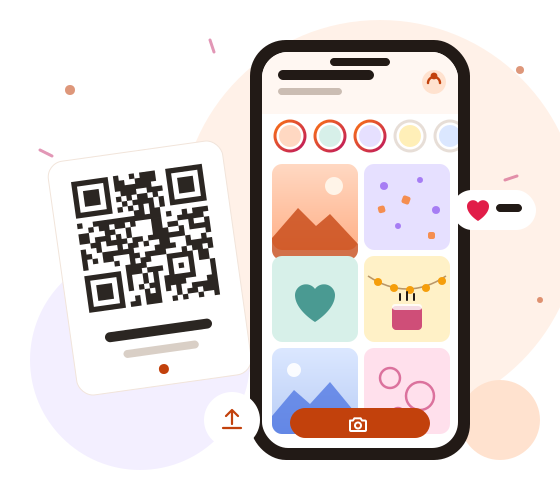
Put a QR code at your event. Guests open the album on their phones, take or upload photos, and see everything in one place: feed, timeline, and stories. No app and no sign-up.
One-time payment from R$79.00. No subscription. Try the guest page before you pay.
For weddings, birthdays, reunions, company events, and other celebrations.
- Wedding
- Birthday
- Reunion
- Company event
- Other celebration
How it works
Four steps, from the QR code to the album.
Put the QR code at your event
Print the QR cards and put them on the tables, at the entrance, or on a screen. You can also send the event link in a message.
Guests join with no app
The QR code opens the album in the phone browser. There is no sign-up and no password. If they want, guests add a name and take a selfie for their avatar.
They take or upload photos
A guest takes a photo right away or picks several from the gallery. Each file shows its upload progress and its result.
One album for everyone
All the photos stay together, with likes. Stories do not disappear after 24 hours. They stay available until your plan ends.
Four ways to see the same photos
Feed
The newest photos first, with avatar, name, and caption.
Timeline
The photos in the order they were taken, from the start to the end of the event.
Stories
Full screen, one photo at a time, with next and previous buttons.
Likes
Each guest can like each photo once and undo the like.
Photo quests, if you want them
Each guest gets one random photo quest. It is an invitation to see the event in a new way, not a contest.
You review and edit the quest list before the event. AI only helps to write the text of the quests. It never sees the photos.
Guests can skip or swap their quest. You can also turn quests off.
Example quests
- Capture a small detail that makes this event special.
- Take a group selfie, with everyone's permission.
- Photograph a moment the organizer might miss.
- Share a photo that captures the atmosphere.
Four themes
A theme changes the colors, fonts, background, and QR cards. Buttons and navigation stay the same in every theme. You also choose the accent color and the cover photo.
- Our event
Classic
For weddings, anniversaries, and formal events.
- Our event
Party
For birthdays, reunions, and informal parties.
- Our event
Minimal
For any event, with a clean look.
- Our event
Professional
For company events, conferences, and launches.
Privacy from the start
The photos belong to the guests and the organizer. We store the photos and show them only to people who have the event link.
- No facial recognition and no AI analysis of photos.
- We remove location data (GPS) from shared photos.
- The selfie avatar stays out of the album, unless the guest also shares that photo to the album.
- The organizer moderates the album and can remove any photo.
- The album does not appear in search engines. The link is private, but anyone who has the link can forward it.
- We do not sell data and we use no advertising trackers.
You control the album
A protected page for the organizer only, separate from the guest page.
QR cards
Cards ready to print, in the style of your event theme.
Moderation
Publish photos right away or approve each one first. Remove photos and block a guest if necessary.
Close uploads
Uploads close 7 days after the event ends. You can close them earlier, or close all guest access.
Complete export
Download one ZIP file with all the original photos and a list with names, captions, quests, times, and likes.
It complements your photographer. It does not replace one.
Your photographer captures the key moments with professional quality. Your guests show what they saw up close: the tables, the dance floor, the moments behind the scenes, and the laughs. Together, they tell the full story of your event.
Pay once and choose how long to keep the photos
Every plan has the same features. Only the retention time changes, and it counts from the event end date.
Event
Photos kept for 1 month
R$79.00one-time payment per event
To see and download the photos in the month after the event.
Choose the Event planKeepsake
Photos kept for 36 months
R$199.00one-time payment per event
To revisit the album for three years.
Choose the Keepsake planArchive
Photos kept for 120 months
R$549.00one-time payment per event
To keep the album for ten years.
Choose the Archive plan
Frequently asked questions
Do guests need to install an app?
No. The QR code opens the album in the phone browser. There is no sign-up, no password, and no app.
What if a guest has no internet connection?
The photos stay on the guest's phone. The guest can upload them later with a connection, until 7 days after the event ends. Uploads do not start automatically: the guest must open the album and upload the photos.
How long are photos kept, and when does the time start?
It depends on the plan: 1, 36, or 120 months. The time starts on the event end date, not on the purchase date. Your dashboard shows the exact expiry date and time.
Can I download all the photos?
Yes. The organizer can download each photo or export everything at once: one ZIP file with the original photos and a list with names, captions, quests, times, and likes. The export works until 14 days after expiry.
What about children at the event?
We recommend approval mode: each photo appears in the album only after the organizer approves it. Ask parents or guardians for permission before you share photos of children. The organizer can remove any photo at any time.
Which phones work?
iPhones and Android phones with an up-to-date browser. iPhone HEIC photos are converted to JPEG in the browser before upload. We accept JPEG, PNG, and WebP, up to 30 MB per photo. Videos are not accepted.
How many photos fit in one event?
Each event accepts up to 3,000 photos or 10 GB, whichever comes first. This fits an event of about 200 guests who upload 10 photos each. Each guest can upload up to 500 photos.
What happens when the plan expires?
We send email notices 30 days and 7 days before expiry. Before deletion, you can move to a longer plan and pay only the difference. At expiry, guests lose access, and the organizer can still export everything for 14 days. Then we delete the photos.
Can I get a refund?
You can cancel your purchase within 7 days after payment. If no guest has uploaded photos yet, we refund the full amount. In other cases, write to support: we review each request and respect your consumer rights.
Get your event album ready
Create the event, choose a theme, and try the guest page. You pay only when you want to open the album to your guests.